Free Background Remover
Use this free background remover to cut out people, products and pets in seconds. Download a transparent PNG or pick a new background color, with no sign-up and no watermark.
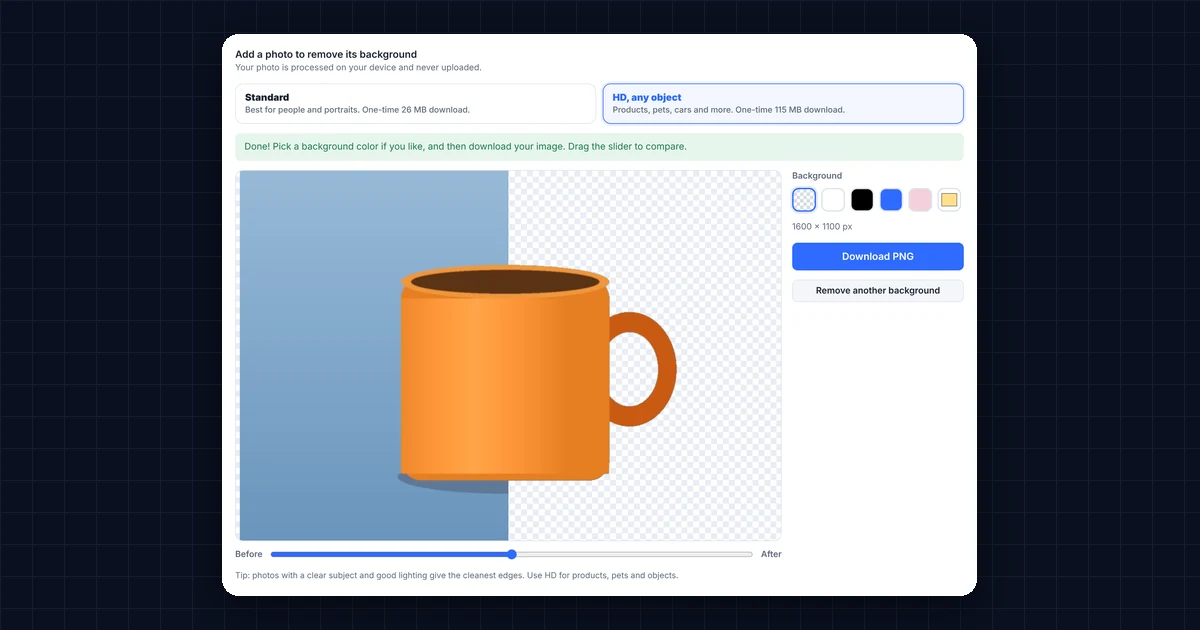
Add a photo to remove its backgroundYour photo is processed on your device and never uploaded.
Background
Tip: photos with a clear subject and good lighting give the cleanest edges. Use HD for products, pets and objects.
How to Use the Free Background Remover
- Choose the quality. Pick Standard for photos of people, or HD for products, pets, cars and other objects.
- Add your photo. Next, drop a JPG, PNG or WebP image onto the box above, click it to choose one, or paste an image with Ctrl+V.
- Wait a few seconds. The free background remover finds the subject and removes everything behind it. Then drag the slider to compare the before and after.
- Pick a background and download. Finally, keep it transparent or choose white, black or any color, and then download your PNG.
The first time you use it, your browser downloads the AI model (26 MB for Standard, or 115 MB for HD). After that, it is saved, so the next photo takes only seconds.
Free Background Remover: Standard vs HD
| Feature | Standard | HD, any object |
|---|---|---|
| Best for | People, selfies and portraits | Products, pets, cars, logos and people |
| One-time download | About 26 MB | About 115 MB |
| Works in | Any modern browser, including phones | Chrome or Edge on a computer with WebGPU |
| Edge quality | Good, especially around hair | Very sharp on all kinds of objects |
What Can You Use a Free Background Remover For?
- Product photos: for example, put products on a clean white background for Daraz, Amazon, Etsy or your own online store.
- Profile pictures: make a neat photo for LinkedIn, CVs and ID-style pictures with a plain background.
- Thumbnails and social posts: cut yourself out and place the PNG on a YouTube thumbnail or Instagram post.
- Real estate and marketing: add agent headshots to flyers, signs and ads without a messy background.
- Stickers and designs: turn a photo into a transparent PNG for Canva, Photoshop or WhatsApp stickers.
Is This Free Background Remover Private?
Yes. Most background removal websites upload your photo to their servers. This one works differently, because the AI runs inside your browser. As a result, your photos never leave your device, and there is no sign-up, no watermark and no limit.
Standard uses MODNet, an open-source portrait matting model, and HD uses BiRefNet, an open-source model for high-resolution object cutouts (see BiRefNet on GitHub).
Tips for Better Results With the Free Background Remover
- Use good lighting. A well-lit subject gives much cleaner edges than a dark photo.
- Keep the subject in focus. Blurry edges are harder to cut out neatly.
- Choose the right mode. Standard is made for people, so switch to HD for products and objects.
- Check the edges. Pick a dark background color for a moment, which makes any leftover edges easy to see.
Frequently Asked Questions
Is this background remover really free?
Yes. It’s completely free, with no sign-up, no watermark and no limit on how many photos you edit.
Are my photos uploaded?
No. The background is removed inside your browser, so your photos never leave your computer or phone.
What size is the downloaded image?
You get a PNG at the same size as your photo, up to 4096 pixels on the longest side.
Why is the HD background remover not available on my device?
HD needs WebGPU, which lets your browser use your graphics card. It works in Chrome and Edge on most computers. On phones and older browsers, use Standard instead.
Can I add a white background instead of transparent?
Yes. After the background is removed, click white or any other color, and the download uses that color.
Need a website or CRM set up for you?
Besides free tools, DgTrick also builds WordPress websites and GoHighLevel automations for growing businesses, so tell us what you need.