Click Speed Test
How many clicks per second can you do? Take this free click speed test (CPS test) for 1 to 60 seconds and see your score, your level and your personal best.
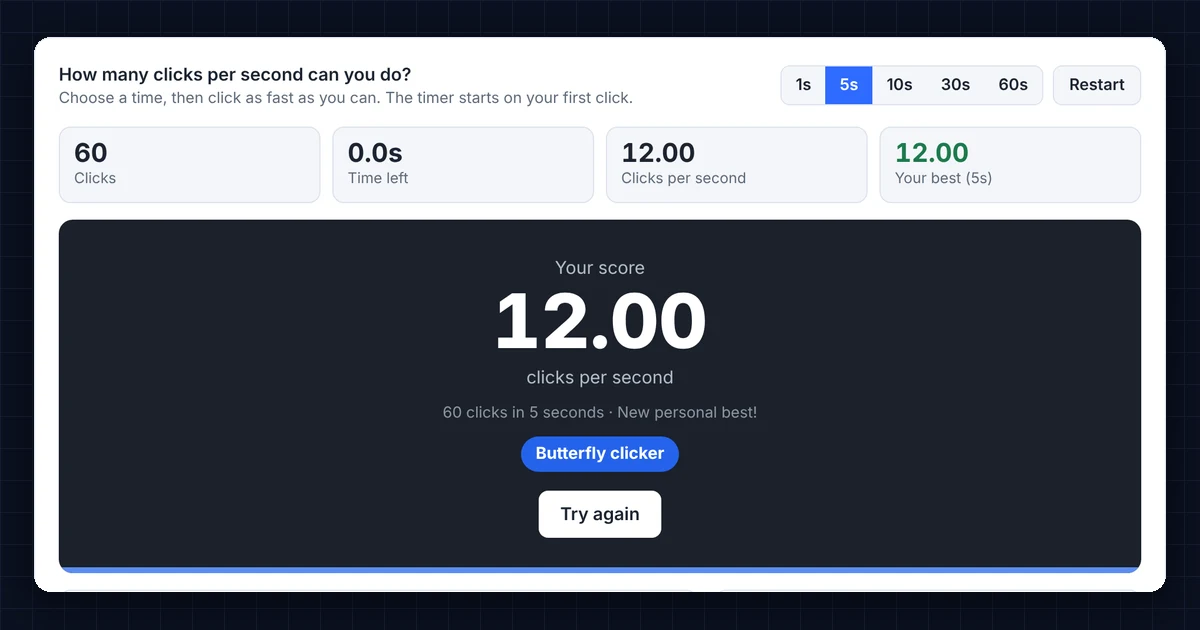
How many clicks per second can you do?Choose a time, then click as fast as you can. The timer starts on your first click.
Your attempts
| # | Time | Clicks | CPS | Level |
|---|---|---|---|---|
| Finish a test to see your results here. | ||||
CPS levels
Your best scores are saved only in this browser. Tip: auto clickers and macros give unrealistic scores, so this test counts real clicks only.
How the Click Speed Test Works
- Choose a time. First, pick 1 second for a quick burst, 5 or 10 seconds for the standard test, or 30 and 60 seconds to test your endurance.
- Click inside the box. The timer starts on your first click, so you never lose time.
- Keep clicking. Then click until the timer reaches zero, while the clicks-per-second figure updates live.
- See your score. Finally, the click speed test shows your CPS, total clicks and level, and saves your best score for each time length in your browser.
Your score is simply total clicks ÷ seconds. For example, 45 clicks in 5 seconds gives you 9 CPS.
Click Speed Test Results: What Is a Good CPS?
Here is how your click speed test score compares:
- Under 6 CPS: casual clicking. In fact, this is typical for most people on a first try.
- 6 to 8 CPS: average. This is normal for regular clicking with one finger.
- 8 to 10 CPS: fast, and good enough for most games.
- 10 to 14 CPS: very fast. Usually, you need a special technique like jitter or butterfly clicking to get here.
- 14 CPS and above: pro level. Most players only reach it with butterfly or drag clicking.
Scores on the 1-second CPS test are usually higher than on longer tests. That is because you can keep up a burst for a moment, while your hand tires over 30 or 60 seconds.
Clicking Techniques to Improve Your Click Speed Test Score
Regular clicking
Here you click normally with your index finger. Most people reach 5 to 8 CPS this way. Even so, it is the most comfortable and accurate way to click.
Jitter clicking
With jitter clicking, you tense the muscles of your forearm and wrist so your hand vibrates, and the vibration presses the button. It can reach 10 to 14 CPS. However, it is tiring and makes aiming harder. So take breaks, because tensing your arm for long periods can lead to repetitive strain injury.
Butterfly clicking
With butterfly clicking, you alternate two fingers, usually the index and middle finger, on the same mouse button. Since each finger clicks separately, you can reach 15 CPS or more. Note that some games and servers treat butterfly clicking as unfair, so check the rules first.
Drag clicking
With drag clicking, you drag your finger across the button so the friction makes it bounce many times. With the right mouse and surface, it can exceed 20 CPS. Still, it depends heavily on the mouse.
How to Click Faster in the CPS Test
- Relax your hand. Tension slows you down, especially in longer tests.
- Click with your fingertip near the front of the button, where it needs the least force.
- Practice in short sets. In practice, several 5-second click speed tests with breaks build speed better than one long session.
- Use a mouse with light switches. Gaming mice need less force per click, so they are faster.
- Rest your wrist, and stop if your hand or arm hurts.
Why a Click Speed Test Matters
Click speed matters most in games. For example, in Minecraft PvP, faster clicking can mean more hits (see combat on the Minecraft Wiki), and in many browser and idle games every click counts. Outside gaming, a click speed test is also a quick way to check a computer mouse. If your score is much lower than usual, or the count jumps strangely, test your buttons with the Mouse Click Test.
Frequently Asked Questions
What is the world record in a click speed test?
Record claims vary by technique and test length. For example, players report drag clicking scores above 30 CPS, while butterfly clickers often reach 15 to 20 CPS. For regular clicking, around 10 CPS is very fast.
Does the click speed test work on a phone?
Yes. Simply tap the box as fast as you can. On touch screens, tapping with two thumbs in turn works well.
Can I use the keyboard for the click speed test?
Yes. First click the box, then press Space or Enter. Holding a key down counts as one press, so you need to tap it.
Are my click speed test scores saved?
The test saves your best score for each time length only in your browser on this device. So if you clear your browser data, it deletes them.
Is using an auto clicker cheating?
Yes. Auto clickers and macros produce unrealistic scores, and most games ban them. After all, this test measures your own speed.
Why is my CPS lower on a laptop touchpad?
Touchpads need a bigger finger movement for each click, and some ignore very fast taps. As a result, a mouse almost always gives a higher score.
Need a website or CRM set up for you?
Besides free tools, DgTrick also builds WordPress websites and GoHighLevel automations for growing businesses, so tell us what you need.