Free Text Summarizer
Use this free text summarizer to turn long articles, reports and emails into a short summary or bullet points. It works instantly in your browser, with nothing to download and no sign-up.
Paste a long text to get a short summaryInstant, with nothing to download. Your text never leaves your device.
Your summary appears here as you type.
How it works: the summarizer scores every sentence by how strongly it connects to the rest of the text (the TextRank method), and then keeps the most important ones in their original order. It works for English, Urdu, Hindi and most other languages.
How to Use the Free Text Summarizer
- Paste your text. First, paste an article, report, email or essay into the box, or open a .txt file. You can also click Try an example.
- Choose the length. Move the slider from 10% for a very short summary to 60% for a detailed one. The summary updates instantly.
- Pick the format. Choose a paragraph, or bullet points for quick notes and slides.
- Copy or download. Finally, copy the summary or download it as a .txt file. Turn on Highlight the summary in my text to see which sentences were chosen.
How Does This Text Summarizer Work?
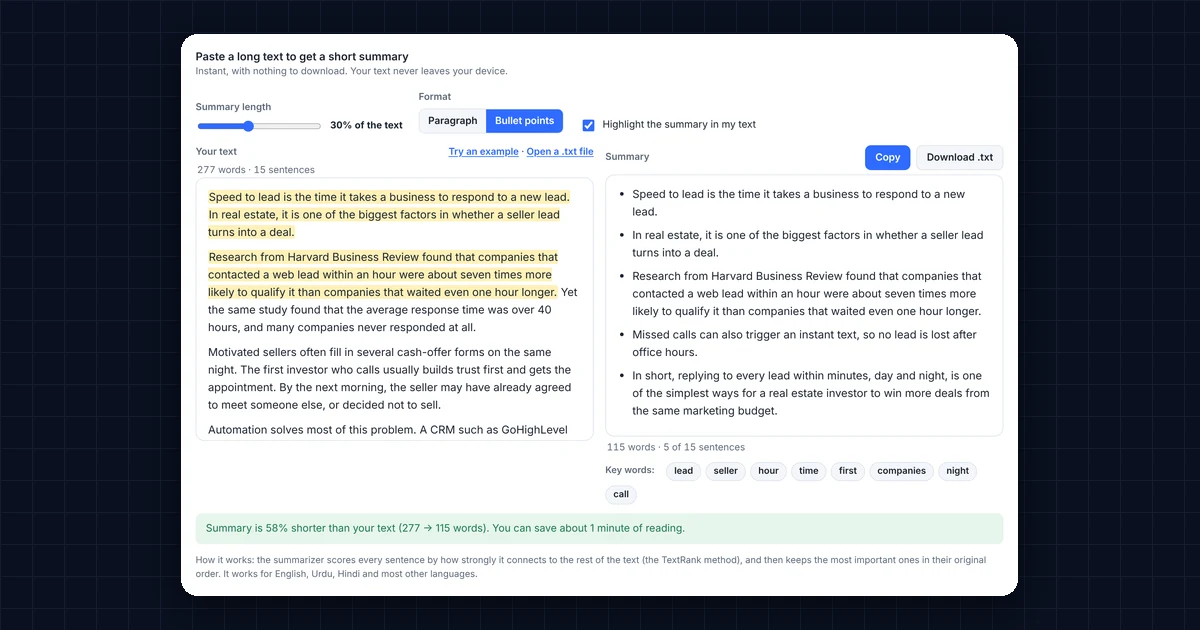
This tool makes an extractive summary. In other words, it finds the most important sentences in your text and keeps them, word for word, in their original order. To do this, it uses TextRank, a well-known method from natural language processing that works a bit like Google’s PageRank (see automatic summarization on Wikipedia):
- First, it splits your text into sentences and finds the meaningful words in each one.
- Then it measures how much each sentence shares with every other sentence.
- Sentences that connect to many others are the main ideas, so they get the highest scores.
- Finally, it keeps the top sentences until the summary reaches the length you chose.
Because the summary uses your own sentences, it never invents facts or changes your meaning, which can happen with AI chatbots.
What Can You Summarize?
| Text | Suggested length | Format |
|---|---|---|
| News and blog articles | 20 to 30% | Paragraph |
| Reports and research papers | 15 to 25% | Bullet points |
| Long emails and meeting notes | 30 to 40% | Bullet points |
| Essays and study material | 25 to 35% | Paragraph |
Is This Text Summarizer Private?
Yes. The text summarizer runs completely inside your browser, with no AI service and no server. As a result, your text never leaves your device, so it is safe for private emails, work documents and client reports. It also works instantly, with nothing to download.
Frequently Asked Questions
Is this text summarizer free?
Yes. It’s completely free, with no sign-up and no word limit.
Does it work in Urdu and Hindi?
Yes. It works with English, Urdu, Hindi and most other languages, because it uses sentence punctuation such as the full stop and the Urdu and Hindi full stops.
Why is my summary not very good?
Short texts, lists and texts without full stops are hard to summarize. For the best results, use at least five full sentences, separated into paragraphs.
Does it rewrite the sentences?
No. It keeps the most important sentences exactly as you wrote them. To reword them afterwards, edit the summary by hand.
How long can my text be?
You can paste very long texts, including whole reports. Texts with thousands of sentences may take a second longer to update.
Need a website or CRM set up for you?
Besides free tools, DgTrick also builds WordPress websites and GoHighLevel automations for growing businesses, so tell us what you need.